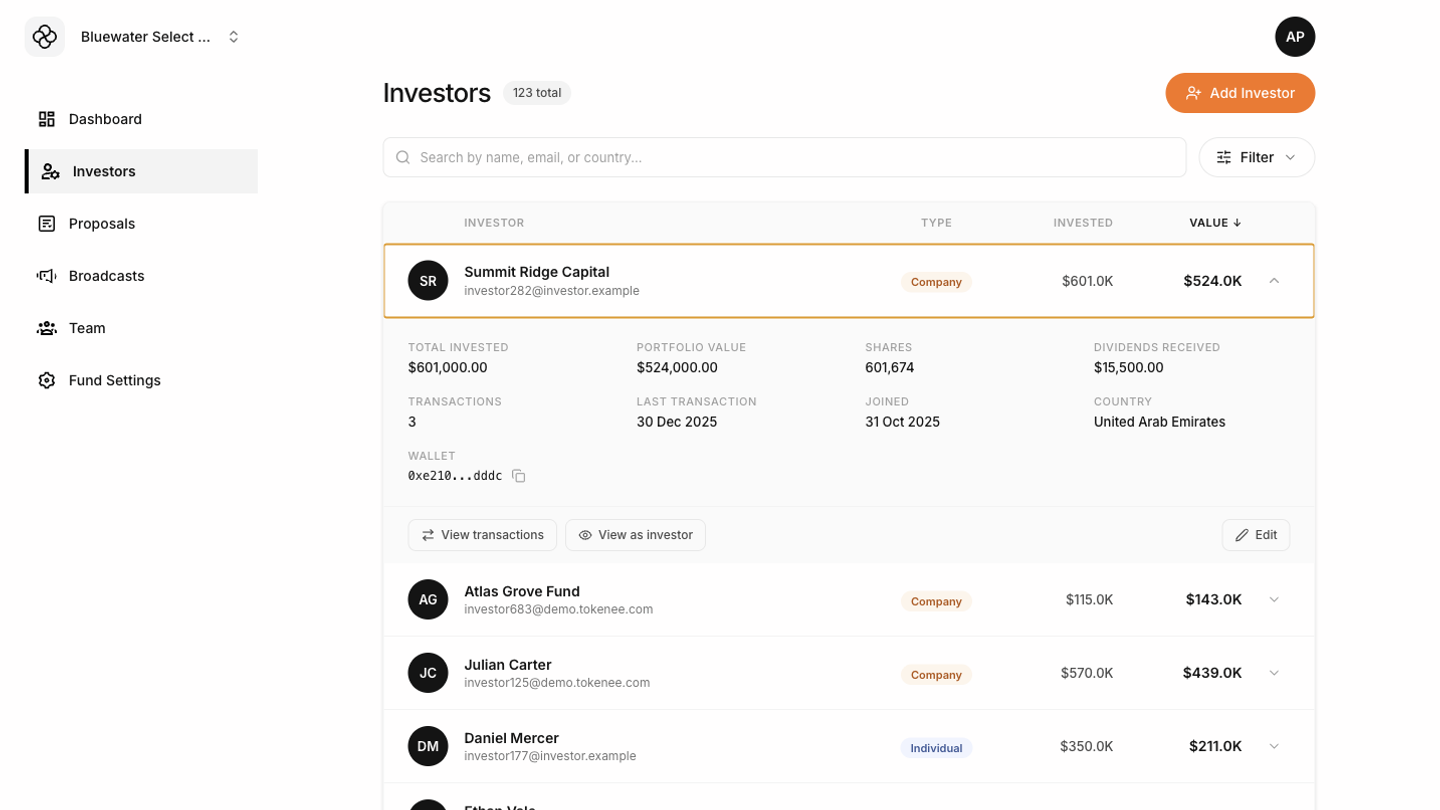

What you can do
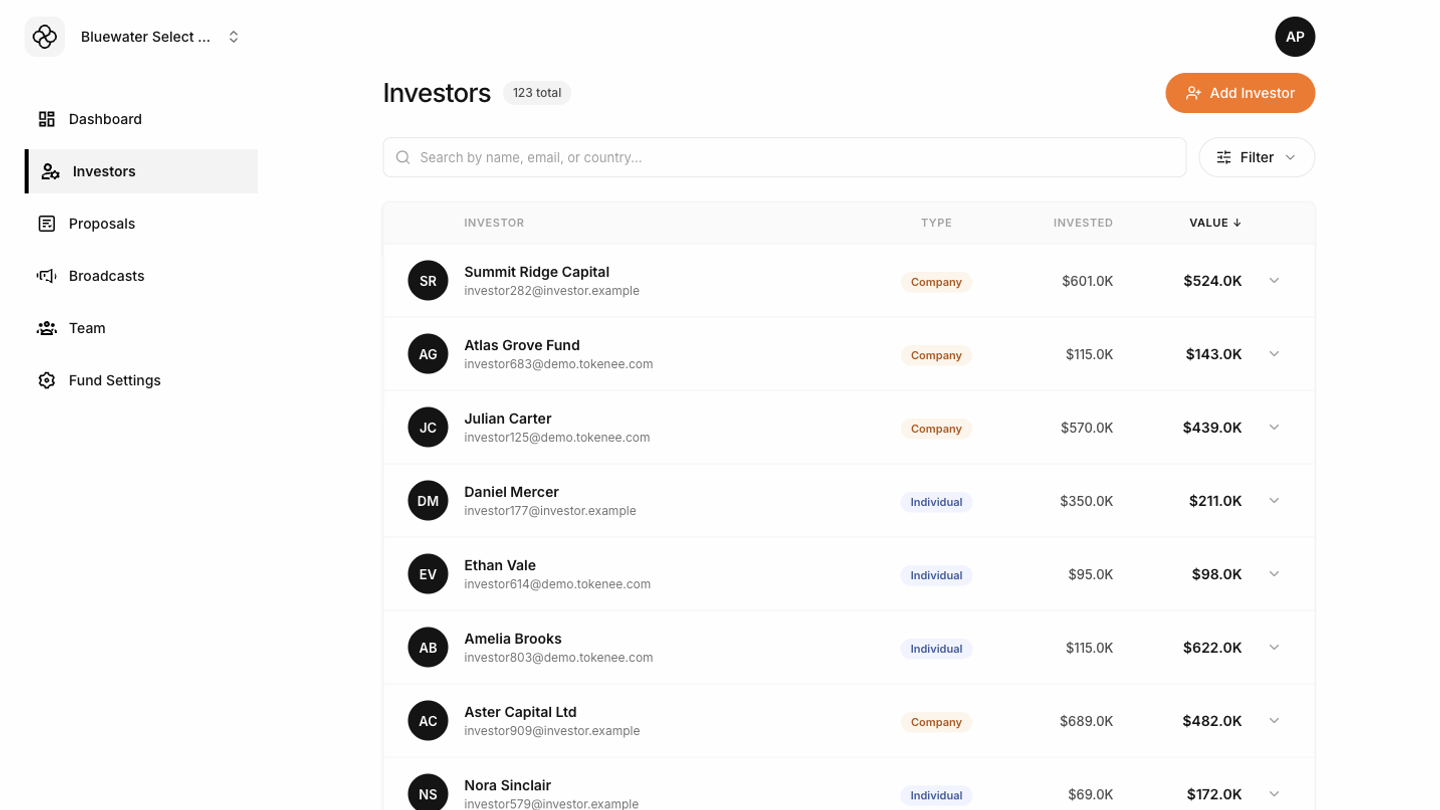
- Search and filter the investor list.
- Add a new investor when onboarding a holder to the fund.
- Edit investor details such as name, email, and wallet information.
- Review investor-level details and activity.
- Use View as investor to see the investor dashboard, statements, subscription notes, and governance pages exactly as that investor sees them.
Adding an investor
Use Add Investor to create a new holder record. Enter the investor details carefully, especially email and wallet information, because these fields affect login, records, and fund operations.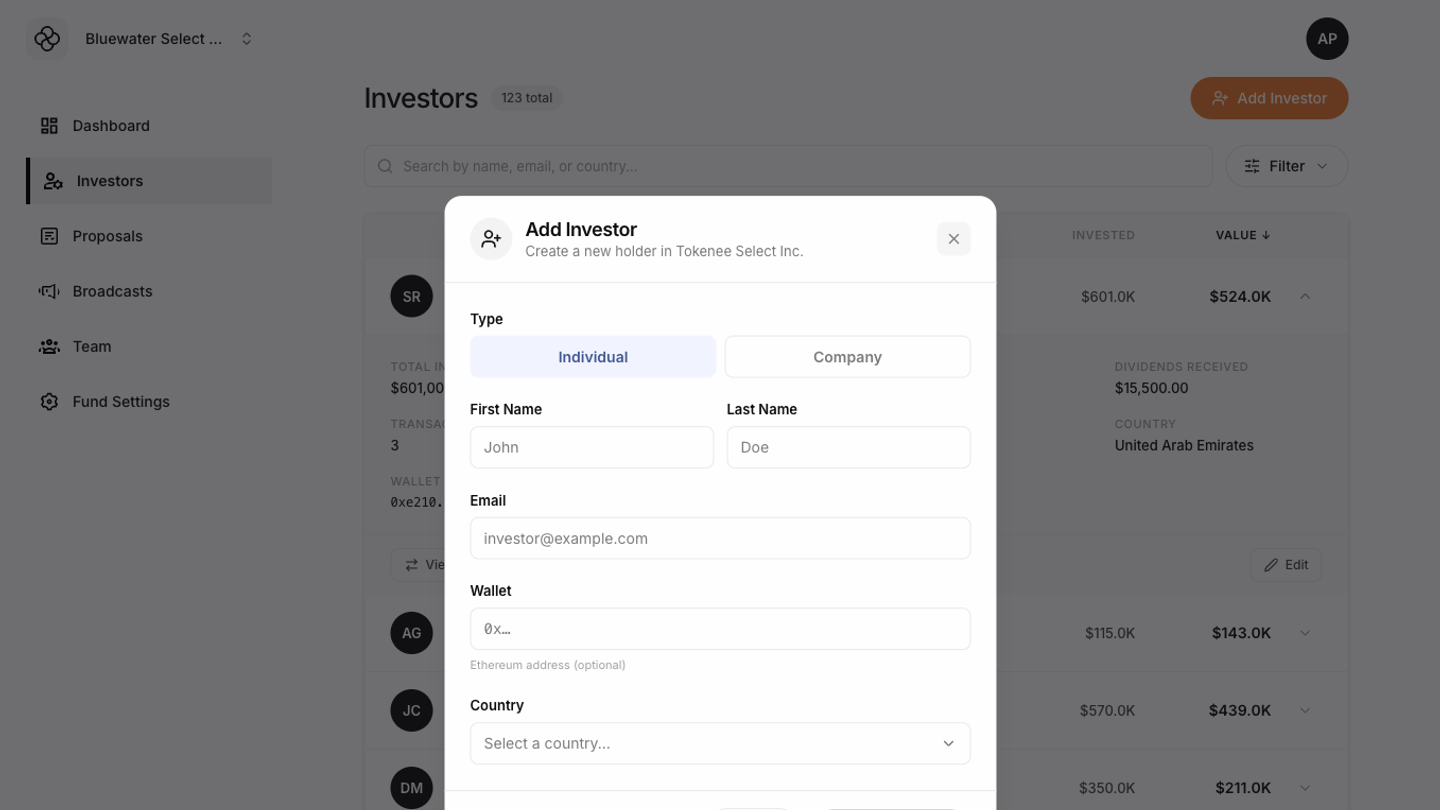 After saving, confirm the investor appears in the list and open the record to verify the entered information.
Editing an investor
Open the investor record, update the relevant fields, and save. The Tokenee Fund Platform validates editable fields before saving. If Save is disabled, review the required fields and formatting.