
What to check first
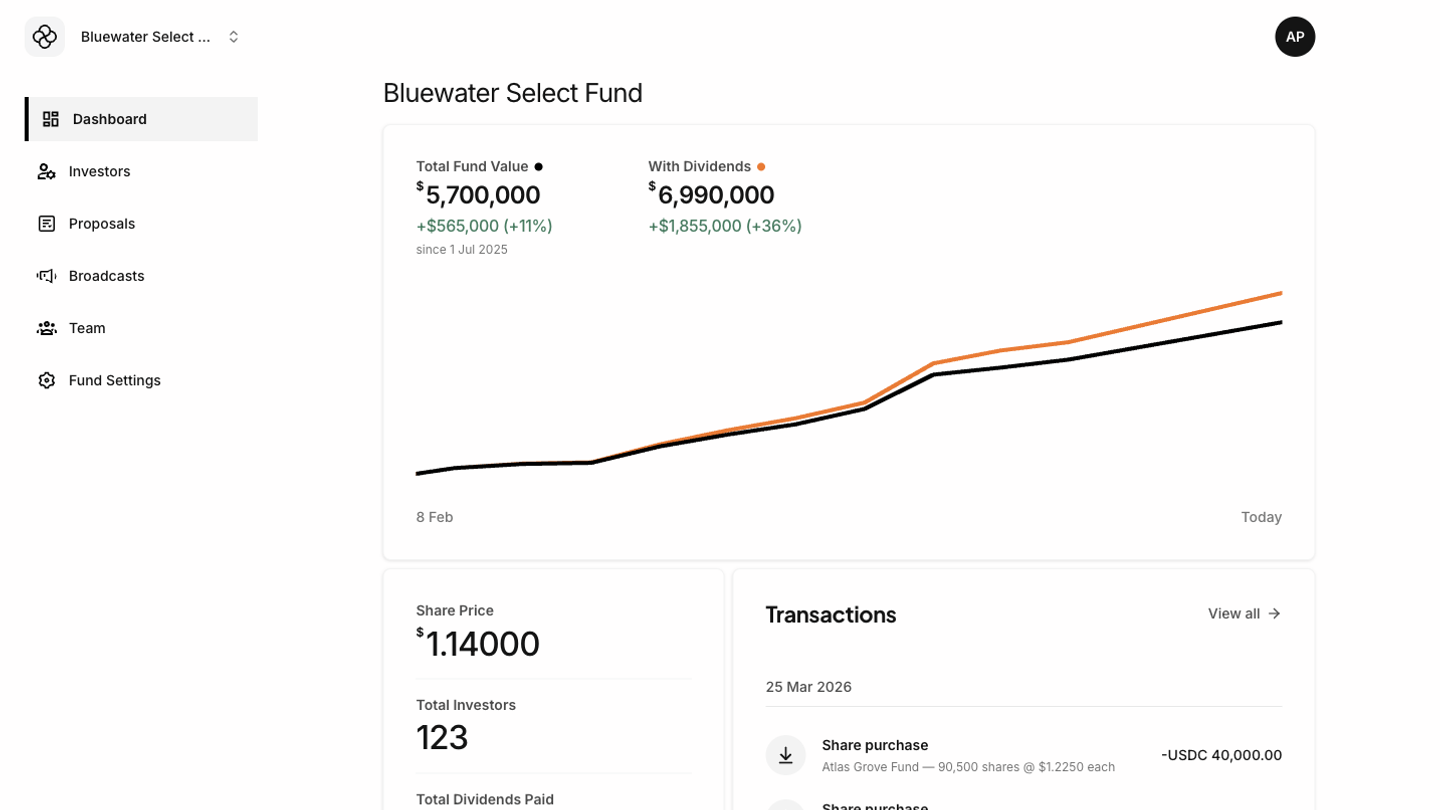
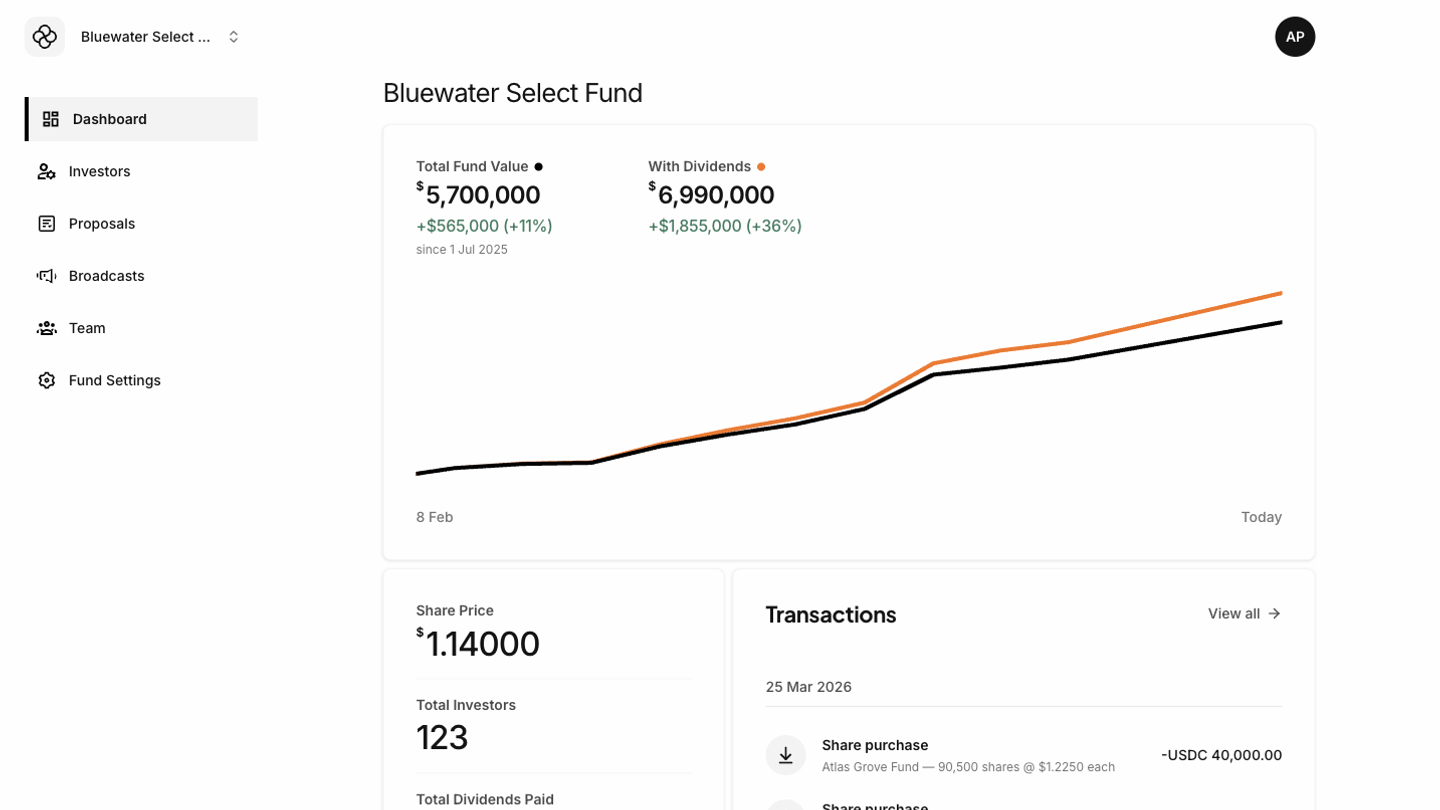
- Total Fund Value shows the current value of the fund based on the latest share value.
- With Dividends appears when dividends exist and shows fund performance including dividend value.
- Share Price shows the current price used for portfolio and document calculations.
- Total Investors shows how many investors are connected to the selected fund.
- Total Dividends Paid summarizes dividends distributed through the platform.
- Transactions shows the most recent activity, with a link to view the full transaction history.
When values look unexpected
Confirm that the correct fund is selected in the sidebar. If the fund is correct, check Fund Settings for the latest portfolio value and share count, then review recent transactions for subscriptions, redemptions, transfers, or dividend activity.