

Identity
Use Identity to maintain the fund name, ticker, logo, and icon. These values affect how the fund appears in the sidebar, mobile header, dashboards, and documents.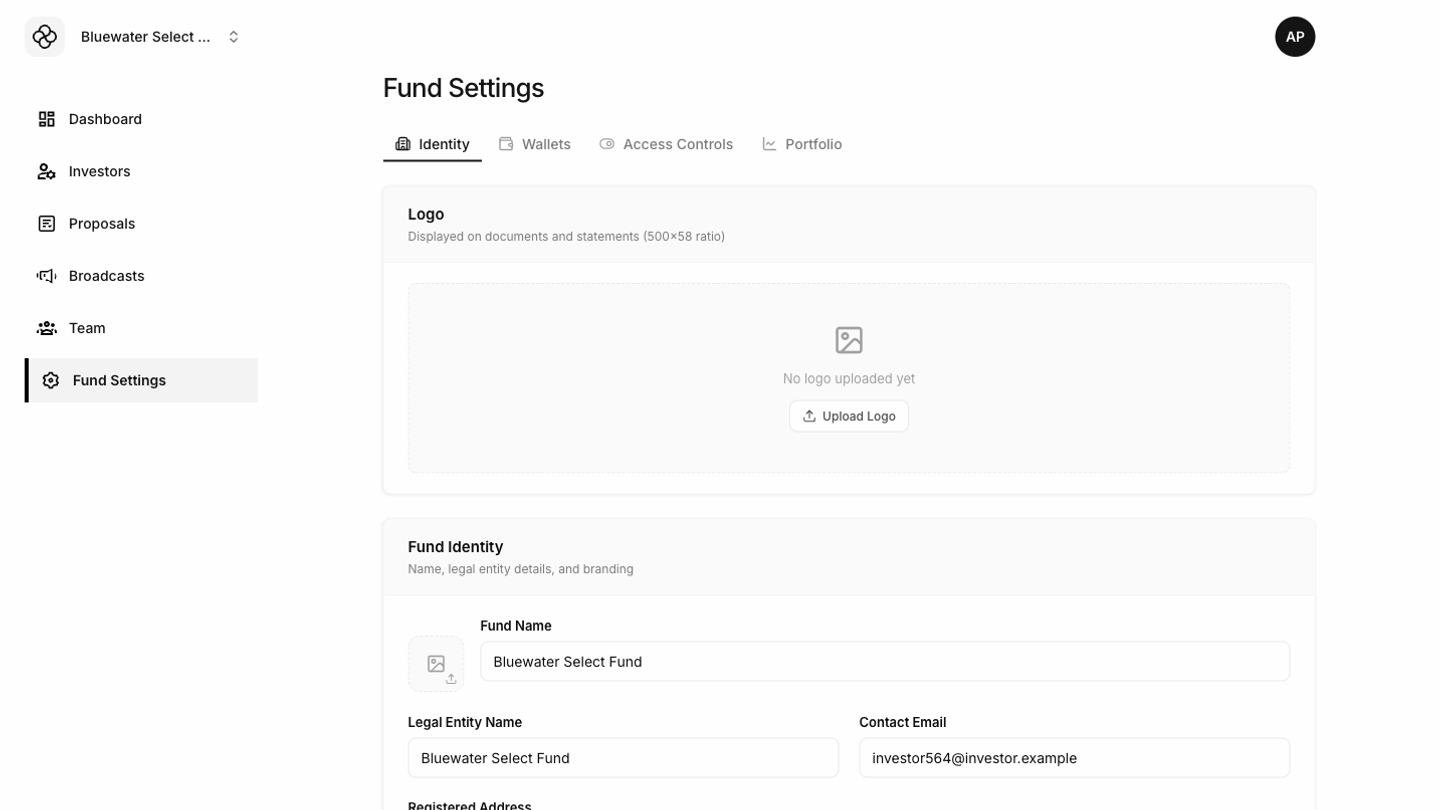 Keep logos clear and readable at small sizes. The icon should work inside a square tile.
Wallets
Wallet settings store the fund’s supported payment or settlement addresses. Review wallet details before sharing payment instructions with investors.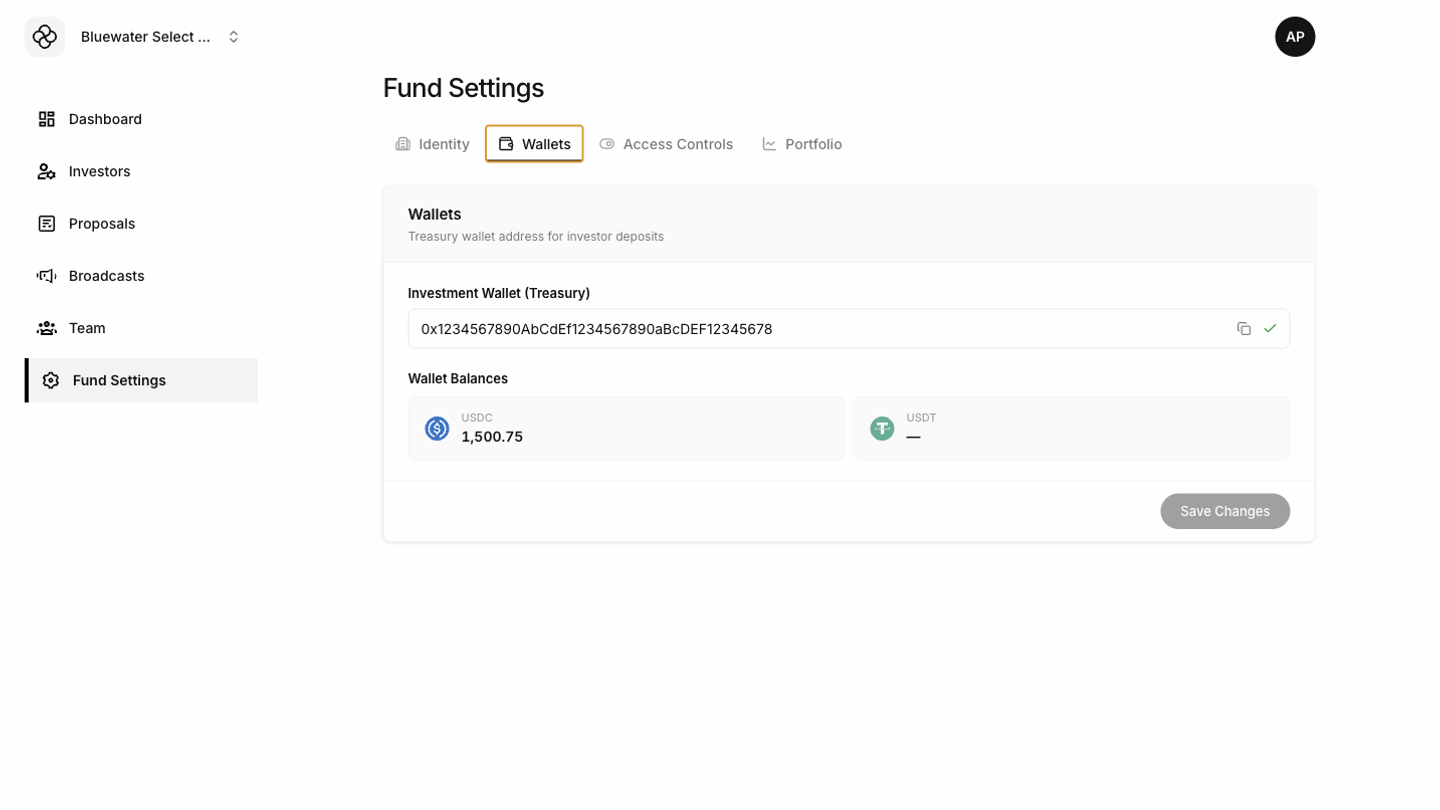
Access controls
Access controls determine which platform features are available for the fund. Change these carefully because they can affect investor and team workflows.Portfolio
Portfolio settings record fund value and share count history. These entries affect dashboard charts, share price display, portfolio calculations, and investor documents.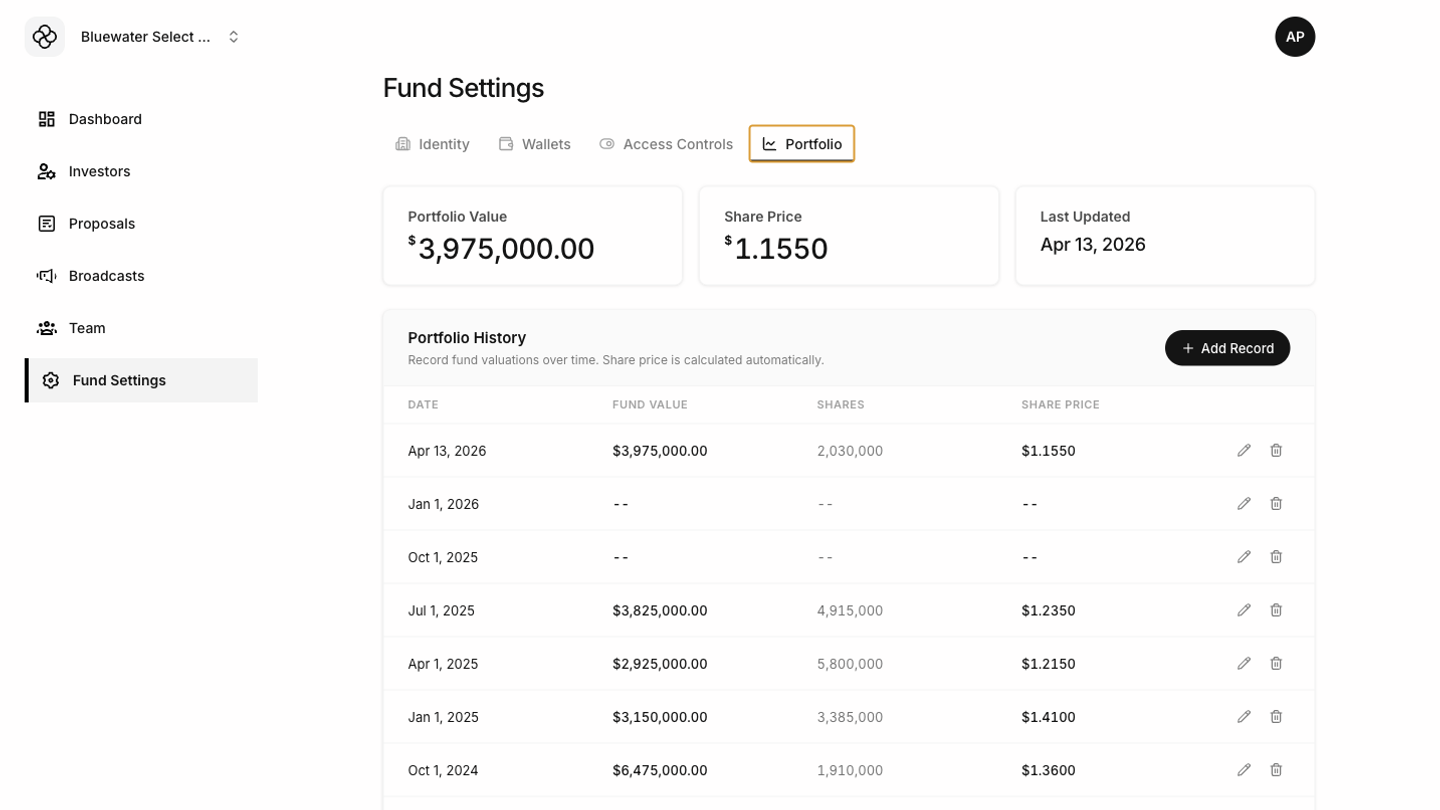 Before saving portfolio updates, confirm the date, fund value, and total shares. Incorrect portfolio history can make charts and document calculations confusing.