
What you can see
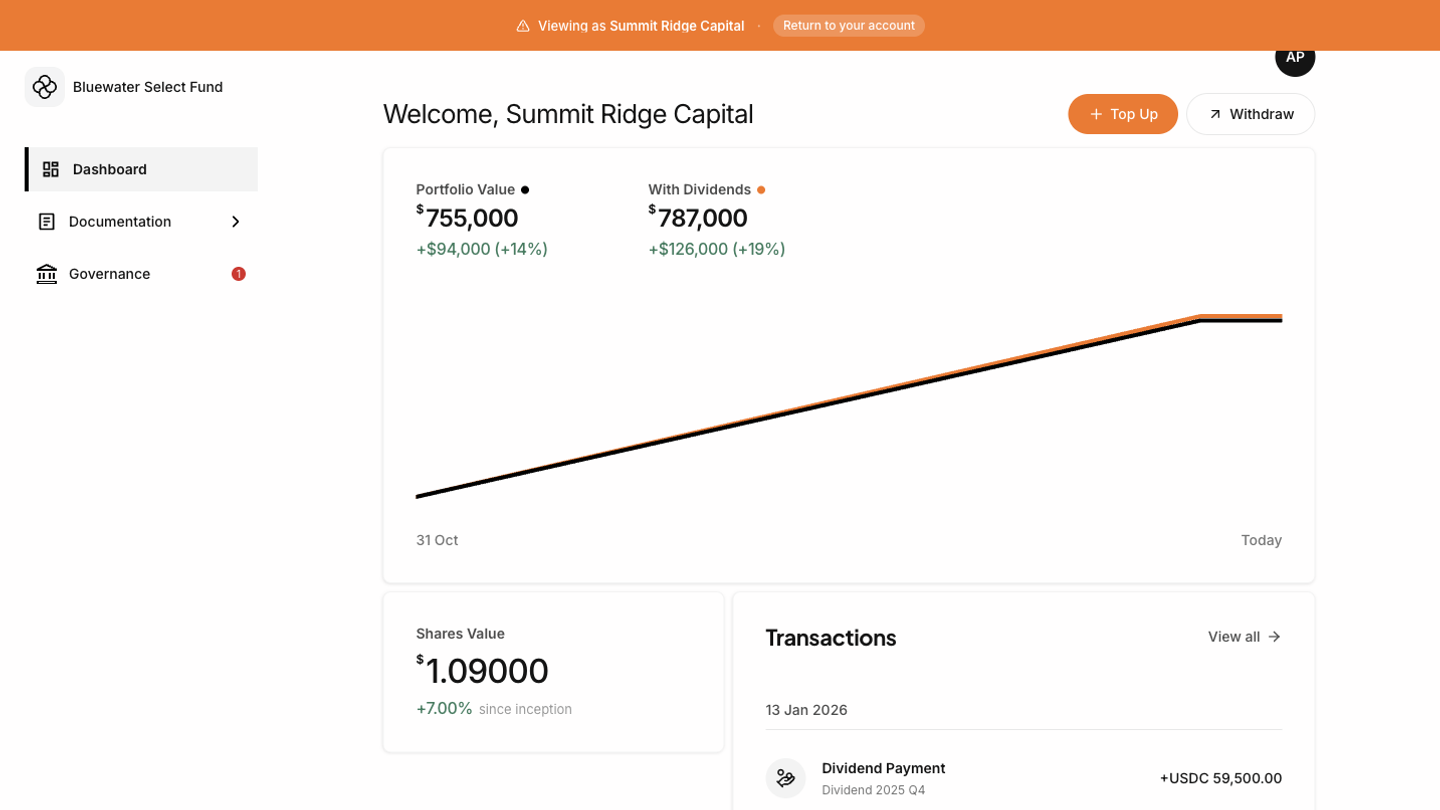
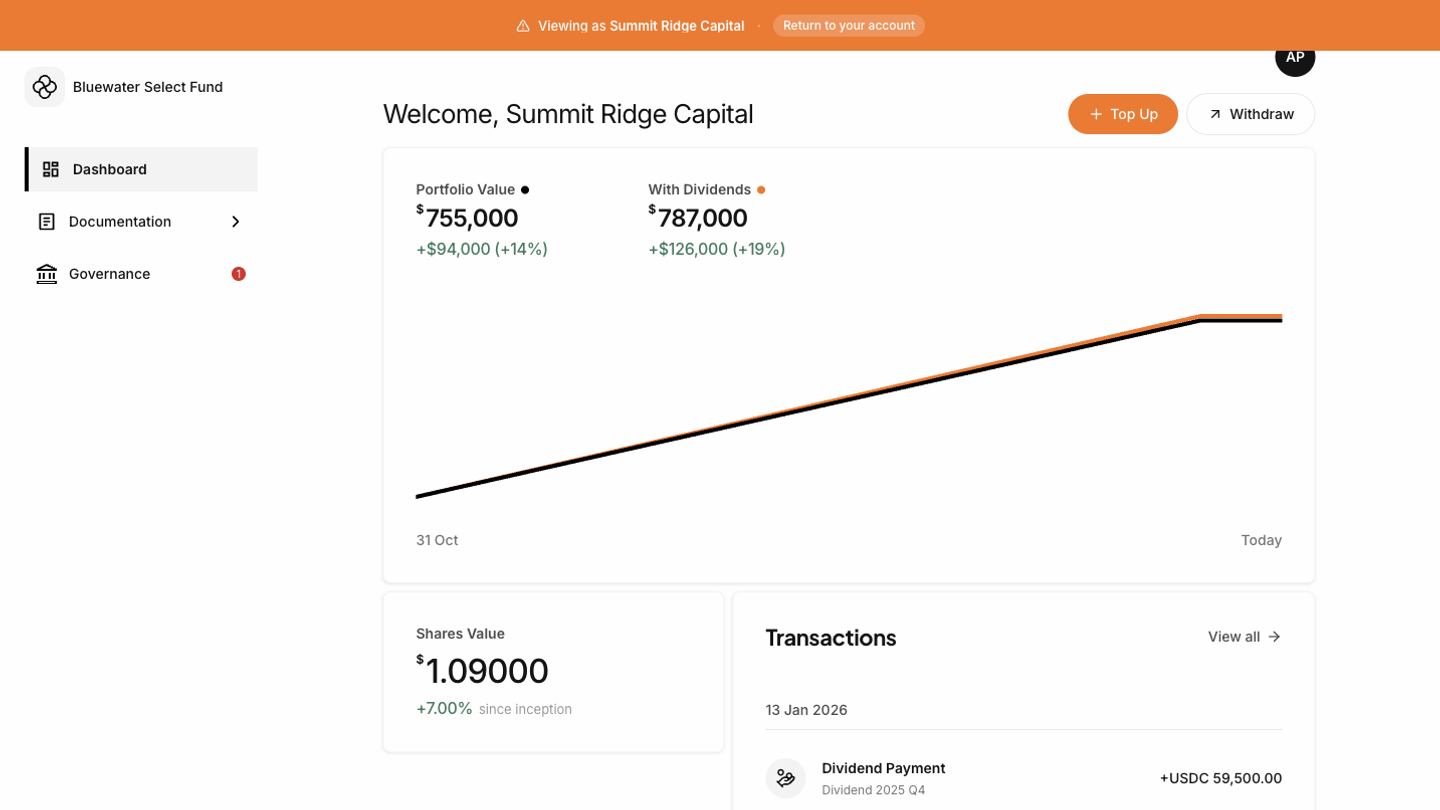
- Portfolio Value shows the current value of your shares.
- Change since inception shows how your portfolio value has changed over time.
- With Dividends appears when dividends exist and shows the portfolio view including dividend value.
- Share balance shows your current number of fund shares.
- Recent transactions shows recent subscriptions, redemptions, transfers, or dividends.
Reading the chart
The chart starts from your first investment date, or your join date when no investment date is available. It extends through today and uses fund share values recorded by the fund team. If no dividends have been paid, the dividend line and dividend summary are hidden.When something looks wrong
Check your transactions first. If a subscription, redemption, transfer, or dividend appears to be missing, contact your fund administrator. They can review your holder record and fund transaction history.